How to use Subscription Graveyard
The whole app, explained in plain words. Ten minutes from "what is this" to "I've got it".
The big picture
You cancel a subscription. You bury it here. The app counts what it's saved you, forever, and keeps counting every day it stays dead.
That's the trick. Cancelling something feels like nothing at the time, so it never feels like a win. Here it becomes a tombstone with a number on it that goes up while you do nothing. Cancelling Hulu stops being a chore and starts being a score.
The Crypt Keeper is the character running the place. He reacts as the graveyard fills up, and he has opinions if you click him.
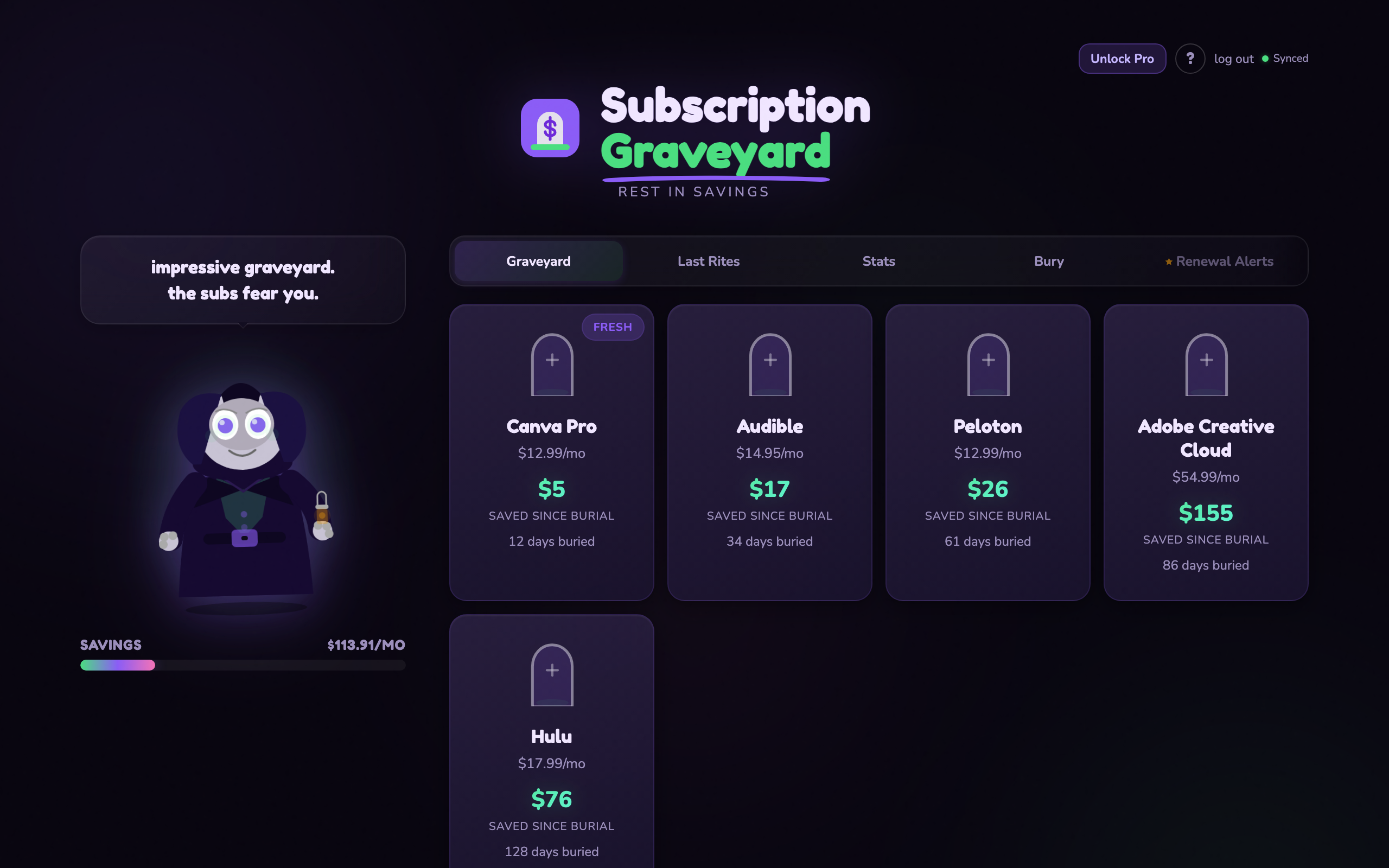
The Crypt Keeper on the left, your graveyard on the right. Each tombstone is money you stopped spending.
What each tab is for
- Graveyard is every subscription you've cancelled. One tombstone each, with what it's saved you so far.
- Last Rites is the waiting room: subscriptions you're thinking about cancelling but haven't yet.
- Stats is the whole picture. Monthly savings, total saved, and where the money was going.
- Bury is the form. This is where a cancelled subscription becomes a tombstone.
- Renewal Alerts warns you before an active subscription bills again. That one's Pro.
Burying your first subscription
Open Bury and give it the name, what it cost per month, and a category. Save it and the tombstone appears.
Two optional fields sit under those. Date cancelled is the one that matters: set it to the real date and the savings count from then, not from today. Leave it blank and it starts counting now. Why is a note to yourself, useful for the day you're tempted to resubscribe.
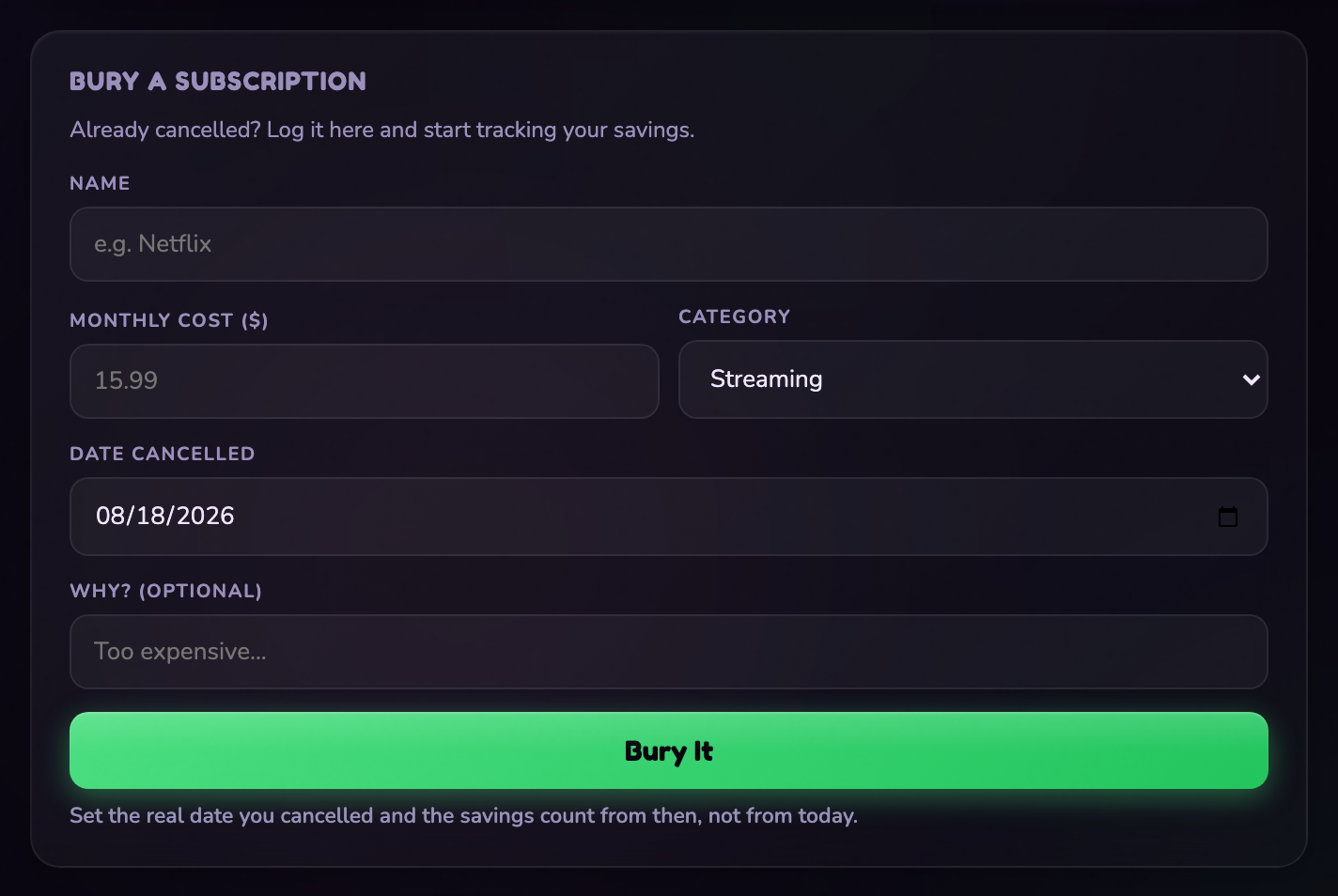
Name, cost, category. The cancellation date is what keeps the counter accurate.
How the savings count works
Every tombstone earns from its cancellation date forward. A $15 subscription buried three months ago has saved you about $45, and it'll be $60 next month whether you open the app or not.
Two different numbers get shown, and they mean different things:
Tombstones age, too, so you can see at a glance which subscriptions have been saving you money the longest. The tag in the corner of each card tells you how long it's been buried:
Ranks
Your rank comes from how much you're saving per month:
Last Rites: the ones you haven't killed yet
Some subscriptions you know you should cancel and just haven't. Put them in Last Rites with a note about why, and they sit there being uncomfortable until you deal with them.
When you finally cancel one, it moves over to the graveyard and starts earning.
Renewal alerts and negotiating (Pro)
The expensive subscriptions are the ones that renew before you remember they exist. Add an active subscription to the watchlist with its next renewal date and you get an email warning before it bills, while you can still do something about it.
For each one you pick what you actually want:
- Remind me to cancel if it's dead to you.
- Remind me to negotiate a deal if you'd keep it cheaper. The app hands you a script: ask for the retention department, tell them you're planning to cancel, ask what they can do, and let the silence work for you.
You can save a cancel link with each one, so future you doesn't have to hunt for the buried cancel button.
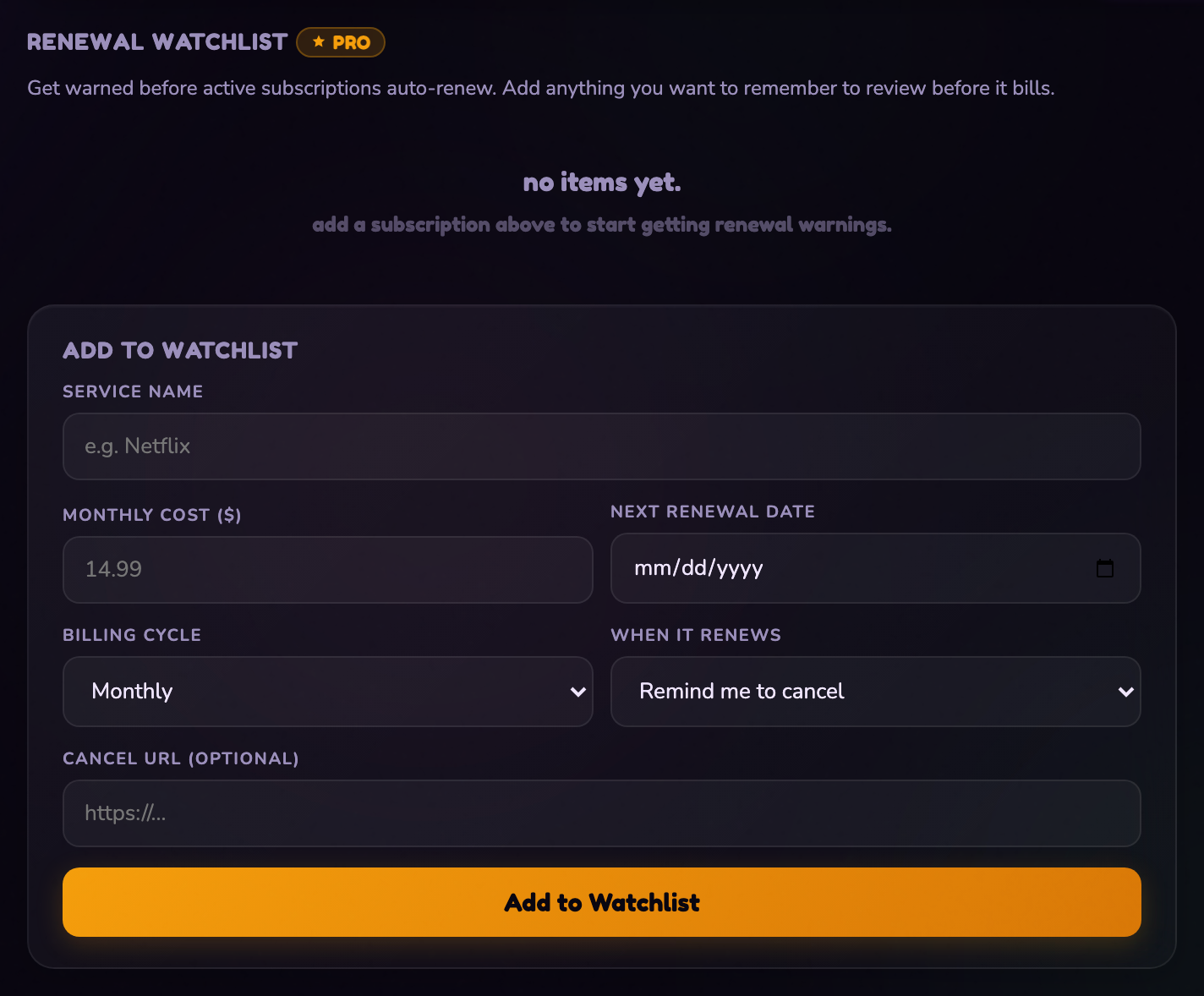
Renewal alerts. Tell it when the bill lands and whether you want to cancel or haggle.
Your first ten minutes
- Bury one subscription you already cancelled. Anything from the past year counts. Put in the real cancellation date and it back-counts everything it has saved you since.
- Put two into Last Rites. The ones you keep meaning to deal with.
- Check Stats. Seeing the monthly number is usually what makes the rest happen.
What's free and what's Pro
Free is a real graveyard, not a trial. Pro is one pass that also unlocks the other four apps in the hub.
| Feature | Free | Pro |
|---|---|---|
| Buried subscriptions | 5 | Unlimited |
| Last Rites | 5 | Unlimited |
| Savings counters, ranks, stats | Yes | Yes |
| Renewal alerts | Locked | Email warnings before anything bills |
| Negotiation script | Locked | Included with the watchlist |
Hitting 5 on free doesn't lock you out of the app. You keep every counter you already have.
Quick answers
- Does this connect to my bank or cancel things for me?
- No, and it never asks. You type in what you cancelled yourself. There's no bank connection, no card, no access to your accounts.
- Can I bury something I cancelled ages ago?
- Yes, and you should. Put in the real cancellation date and it counts everything it's saved you since then. Leave the date blank and it only starts counting from today.
- What if I resubscribe to something?
- Delete the tombstone. The savings it was counting come back out of your total, which is the fair answer even if it stings.
- Does Pro only cover this app?
- No. One Pro pass covers Subscription Graveyard plus the other four apps in the App Hub.
- Can I see the app tour again?
- Yes. Tap the ? button at the top of the app, then Show me around.
- Where do I ask for help?
- The feedback button in the corner of the app comes straight to me, Jen. I read every one.